

YES! Regardless of the specs, I've always found the PC-X100 to have the most bombastic bass response of any I've heard (you'd think the 300 or 500 would beat it, but they just don't). You're right, though - they're all a little different. I think the PC-Y555 has a similar sound to the 100...but nothing is quite like the 100. I've never had the chance to own or work on a V2, but I agree with you: it's really something special.Superb collection!
I've almost had the chance to take them all apart with the 3D Hyper Bass, but the PC-X100 is quite incredible in its bass response!
Each model is slightly different.
The PC-V2 is still exceptional for 1987! The sound is truly amazing, with the CD player being superbly filtered, and the radio and cassette player are superb in both playback and copying. However, it's difficult to repair in order to access the internal components!
JVC PC-X130 Display Lamp Replacement?
- Thread starter tisaperfectdayelise
- Start date
You are using an out of date browser. It may not display this or other websites correctly.
You should upgrade or use an alternative browser.
You should upgrade or use an alternative browser.
Hello,Just an update, in case it means anything to anybody later: JVC Accessory Store (jvcpartsstore.com) has still not yet fulfilled my order. I received confirmation, but nothing since. Still keeping my fingers that the parts still exist, but not counting on it.
The lamp in question, though, started working again, intermittently. I removed both lamps (they twist off the back of the LCD/Operation P.C. Board) and applied some DeoxIT D100L (the viscous, red stuff) to the contact points. Now, both lamps are working consistently.
I replaced the RW/FF belts and carefully cleaned off all of the residual belt goo from the mechanism. The speed is dead on and constant with the original capstan belts (I thoroughly cleaned them and the pulleys then used a test tape to confirm speed), but the auto stop was clicking, intermittently, during playback (on whatever deck wasn't in play mode). I regreased the autostop gears on both sides and haven't heard the click since (keeping fingers crossed on it'll stay quiet).
View attachment 62044
I know nothing about boomboxes but have just acquired from my local Goodwill a JVC RC-X130. The CD function does not work but the radio and cassette are great!. This prompted me to join boomboxery. Here is a link to the first message I posted: https://www.boomboxery.com/forum/search/596628/.
As you seem to be an expert on these JVC boxes can you please advise me of how to get access to the CD drive. The only screws I see are 4 behind each speaker. Those do not seem to be what I need and in any case are not very easy to get a long screwdriver on.
I hear no sounds at all when I hit the Play button for the CD drive and the CD does not spin at all. So I am guessing that there is a problem with the motor(s) or their power supply. Am I on the right lines?
Greetings! So, I have never repaired this unit in particular, but I did some sleuthing to find a photo that showed the back of the unit. I realize that the photo cuts off the left side, but it sounds like you already found those two screws. When I'm looking at this one, based on the units I've repaired, I see 15 spots where there could be screws to get the case open. Use a flashlight, if you can, and check all of these indents for elusive screws. If that doesn't help, then open the cassette door, and see if there are any screws. There also may be one hiding in the CD section, if you open the door...but that probably won't help with the outer-case. I hope this helps! Let me know what you find, and we'll go from there!Hello,
I know nothing about boomboxes but have just acquired from my local Goodwill a JVC RC-X130. The CD function does not work but the radio and cassette are great!. This prompted me to join boomboxery. Here is a link to the first message I posted: https://www.boomboxery.com/forum/search/596628/.
As you seem to be an expert on these JVC boxes can you please advise me of how to get access to the CD drive. The only screws I see are 4 behind each speaker. Those do not seem to be what I need and in any case are not very easy to get a long screwdriver on.
I hear no sounds at all when I hit the Play button for the CD drive and the CD does not spin at all. So I am guessing that there is a problem with the motor(s) or their power supply. Am I on the right lines?

Last edited:
Well, firstly, thank you ever so much for your detailed reply. I have been unwell for the past few days and have not really been checking in to the Boomboxery website.
I just had another look at the recesses that you highlighted. I used my Magnalite LED flashlight to allow me to peer down the recesses or "wells". Again, I do not see likely candidates for gaining entry. (I know I MUST be missing something ). The four recesses each side behind the speakers have cross-head screws and perhaps they ARE the points of entry. However, I don't yet have the right size of screwdriver to give them a try. I will need a long driver with a narrow handle and the only one that I have right now that reaches the crews is not engaging properly with the screws and I am scared of damaging them. The two recesses you marked near the handle do not lead to screws. Of the five "lower" recesses four of them have metal features at the bottom that do not resemble screws, having neither "crosses" or "slots". The last recess DOES have a cross-head screw at the bottom but......a SINGLE screw....... There MUST be others somewhere that I am missing.
My plan at the moment is to order a Service Manual for the boom-box on a vendor site I found on ebay.
 He or she is not available for a week or so so I shall order the Service Manual later. I shall also HAVE TO get a suitable screwdriver. Maybe the Manual will guide me to the right size.
Update: I forgot to add that when I select Cd as the function to use "Cd" is then shown on the CD LCD screen. When I insert a CD into the drive and close the lid the didplay does not change. This seems to me to signify that the box does not KNOW that I have closed the lid. To me that suggests a switch, possibly a leaf-switch (see, I am learning ), is not working correctly. It's just my ten-cent's worth.
I just had another look at the recesses that you highlighted. I used my Magnalite LED flashlight to allow me to peer down the recesses or "wells". Again, I do not see likely candidates for gaining entry. (I know I MUST be missing something ). The four recesses each side behind the speakers have cross-head screws and perhaps they ARE the points of entry. However, I don't yet have the right size of screwdriver to give them a try. I will need a long driver with a narrow handle and the only one that I have right now that reaches the crews is not engaging properly with the screws and I am scared of damaging them. The two recesses you marked near the handle do not lead to screws. Of the five "lower" recesses four of them have metal features at the bottom that do not resemble screws, having neither "crosses" or "slots". The last recess DOES have a cross-head screw at the bottom but......a SINGLE screw....... There MUST be others somewhere that I am missing.
My plan at the moment is to order a Service Manual for the boom-box on a vendor site I found on ebay.
JVC RC-X310 Portable Radio Service Manual *Original* | eBay
Original Manual / Copy: Original.
www.ebay.com
Update: I forgot to add that when I select Cd as the function to use "Cd" is then shown on the CD LCD screen. When I insert a CD into the drive and close the lid the didplay does not change. This seems to me to signify that the box does not KNOW that I have closed the lid. To me that suggests a switch, possibly a leaf-switch (see, I am learning ), is not working correctly. It's just my ten-cent's worth.
Last edited:

Most JVC boomboxes of that era will have holes on the rear that are intended for disassembly of the cases, molded with a small arrow next to it. If any of those holes have that > arrow, it's almost certainly related to disassembly. A long shaft #2 phillips screwdriver is correct 99% of the time.
Thank you very much for your help. I shall purchase the #2 Phillips screwdriver, per your recommendation.Most JVC boomboxes of that era will have holes on the rear that are intended for disassembly of the cases, molded with a small arrow next to it. If any of those holes have that > arrow, it's almost certainly related to disassembly. A long shaft #2 phillips screwdriver is correct 99% of the time.
Wonderful news! I figured you'd already searched for a service manual, but I did, too, and couldn't find any publicly available. I'm glad you were able to track one down. I would just sit tight until it arrives. JVC was kind with the dissembly instructions.Well, firstly, thank you ever so much for your detailed reply. I have been unwell for the past few days and have not really been checking in to the Boomboxery website.
I just had another look at the recesses that you highlighted. I used my Magnalite LED flashlight to allow me to peer down the recesses or "wells". Again, I do not see likely candidates for gaining entry. (I know I MUST be missing something ). The four recesses each side behind the speakers have cross-head screws and perhaps they ARE the points of entry. However, I don't yet have the right size of screwdriver to give them a try. I will need a long driver with a narrow handle and the only one that I have right now that reaches the crews is not engaging properly with the screws and I am scared of damaging them. The two recesses you marked near the handle do not lead to screws. Of the five "lower" recesses four of them have metal features at the bottom that do not resemble screws, having neither "crosses" or "slots". The last recess DOES have a cross-head screw at the bottom but......a SINGLE screw....... There MUST be others somewhere that I am missing.
My plan at the moment is to order a Service Manual for the boom-box on a vendor site I found on ebay.
He or she is not available for a week or so so I shall order the Service Manual later. I shall also HAVE TO get a suitable screwdriver. Maybe the Manual will guide me to the right size.JVC RC-X310 Portable Radio Service Manual *Original* | eBay
Original Manual / Copy: Original.www.ebay.com
Update: I forgot to add that when I select Cd as the function to use "Cd" is then shown on the CD LCD screen. When I insert a CD into the drive and close the lid the didplay does not change. This seems to me to signify that the box does not KNOW that I have closed the lid. To me that suggests a switch, possibly a leaf-switch (see, I am learning ), is not working correctly. It's just my ten-cent's worth.
So, does the "CD" on the screen ever go away and show all zeros, by chance, if you close the lid with no CD inserted? If not, I'd clean the microswitch for the CD lid with deoxit, before trying anything else. You may be able to do that without tearing the unit down, but you'll likely need to dismantle it some to get in there.
Hope you're feeling better!
Great to hear from you again, and thanks for your support! I AM feeling a bit better now but still not overdoing things.Wonderful news! I figured you'd already searched for a service manual, but I did, too, and couldn't find any publicly available. I'm glad you were able to track one down. I would just sit tight until it arrives. JVC was kind with the dissembly instructions.
So, does the "CD" on the screen ever go away and show all zeros, by chance, if you close the lid with no CD inserted? If not, I'd clean the microswitch for the CD lid with deoxit, before trying anything else. You may be able to do that without tearing the unit down, but you'll likely need to dismantle it some to get in there.
Hope you're feeling better!
To answer your question, no the "Cd" on the display is constant and unchanging. So I shall have to figure out how to get to the micro-switch. There is nothing immediately visible. What I HAVE done today is ordered on ebay an 8" long Phillips #2 screwdriver, as recommended by the Moderator, Superduper. I also confirmed what he suspected, that the eight holes in the back of the unit that you showed me earlier, circled in red, (4 for each speaker) ARE intended for doing disassembly. Each hole has the -> symbol by it, as described by Superduper.
So my plan at the moment is to wait for the screwdriver to arrive and then summon up the courage to try to open up the box.
Is there a brand name for deoxit? It would be great if a simple cleaning of the switch fixed the issue. I simply love the aesthetics of this JVC boom-box. I am in my eighties and never had one, or even WANTED one, when I was younger.
I bet it's that close switchGreat to hear from you again, and thanks for your support! I AM feeling a bit better now but still not overdoing things.
To answer your question, no the "Cd" on the display is constant and unchanging. So I shall have to figure out how to get to the micro-switch. There is nothing immediately visible. What I HAVE done today is ordered on ebay an 8" long Phillips #2 screwdriver, as recommended by the Moderator, Superduper. I also confirmed what he suspected, that the eight holes in the back of the unit that you showed me earlier, circled in red, (4 for each speaker) ARE intended for doing disassembly. Each hole has the -> symbol by it, as described by Superduper.
So my plan at the moment is to wait for the screwdriver to arrive and then summon up the courage to try to open up the box.
Is there a brand name for deoxit? It would be great if a simple cleaning of the switch fixed the issue. I simply love the aesthetics of this JVC boom-box. I am in my eighties and never had one, or even WANTED one, when I was younger.
 It's possible you could just soak it from the outside and hope it seeps into the switch underneath...but that's probably not the best way to do it. DeOxit is made by CAIG Laboratories. The one you'll want is the D5.
That unit is a good sounding one, and I'm excited to see you get it up and running! The CD portion has a really nice sound, and using the CD-Out connected to a bigger stereo reveals how good the CD section actually is. Weirdly enough, the CD-Out also doubles as an RCA-in, if you ever wanted to play another device through it.
Once you get in there, take care with all the cabling. In reassembly, the most difficult and nerve-wracking part for me has been when cables are in the way, when closing it all up. I learned quickly to take LOTS of photos of how the cables are routed and how they're organized. One last thing...In my first repair, I broke a connector, having never seen one like it and not really knowing how it worked. I didn't realize most of them are spring loaded and release the wires, when pushed down toward the board.
Otherwise, you've got this! Keep us posted!
Last edited:
Thanks for all the new adviceI bet it's that close switch
That unit is a good sounding one, and I'm excited to see you get it up and running! The CD portion has a really nice sound, and using the CD-Out connected to a bigger stereo reveals how good the CD section actually is. Weirdly enough, the CD-Out also doubles as an RCA-in, if you ever wanted to play another device through it.
Once you get in there, take care with all the cabling. In reassembly, the most difficult and nerve-wracking part for me has been when cables are in the way, when closing it all up. I learned quickly to take LOTS of photos of how the cables are routed and how they're organized. One last thing...In my first repair, I broke a connector, having never seen one like it and not really knowing how it worked. I didn't realize most of them are spring loaded and release the wires, when pushed down toward the board.
Otherwise, you've got this! Keep us posted!
 ! Since your last post I had looked online and found that most of the contact cleaners were, for me, a bit expensive. I noticed that WD-40 was used as a contact cleaner. It's cheaper and I might use that. I'll think more about it though. I had thought of the "soaking from the outside" approach but I don't know where the switch is located so I could make a real mess doing that. I am going to go at this very carefully because I know how limited my manual skills are. I am even anticipating fighting a battle with the screws to open up the unit. They seemed on my last tentative attempts to be very reluctant to unscrew. After being in place for over forty years they might be troublesome.
I shall certainly keep you posted! The screwdriver will be delivered next week.
Thanks again!
Update: I have found out that WD-40 would not be as good as the DeOxit so I shall use that instead.
Last edited:
I am afraid that so far I have failed.I bet it's that close switch
That unit is a good sounding one, and I'm excited to see you get it up and running! The CD portion has a really nice sound, and using the CD-Out connected to a bigger stereo reveals how good the CD section actually is. Weirdly enough, the CD-Out also doubles as an RCA-in, if you ever wanted to play another device through it.
Once you get in there, take care with all the cabling. In reassembly, the most difficult and nerve-wracking part for me has been when cables are in the way, when closing it all up. I learned quickly to take LOTS of photos of how the cables are routed and how they're organized. One last thing...In my first repair, I broke a connector, having never seen one like it and not really knowing how it worked. I didn't realize most of them are spring loaded and release the wires, when pushed down toward the board.
Otherwise, you've got this! Keep us posted!
On the positive side, yesterday I belatedly received the long shafted Phillips screwdriver that I knew I would need. I was apprehensive that it would not fit the nine retaining screws but it did. Some of them were very reluctant to budge and because of the deep recesses I could not see whether the screw was moving. But eventually, after a fair bit of sweating and swearing, I got them all out.
Today however was an abject failure.
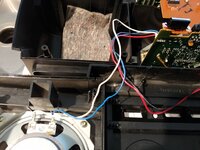
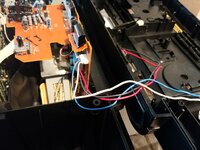
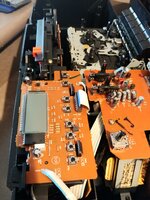
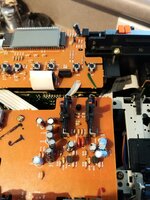
 When I decided to open the box it was very troublesome.I was really scared of cracking the case. Eventually, using two knife blades as levers I managed to prise the case open. The complexity of the interior was just as as bad as I anticipated. To make life more difficult the speaker wires were not quick release, unless I misunderstood what I was seeing. I would have had to de-solder them and that was a no-no.
The main problem is that I see no easy way of getting to the CD drive to clean the micro-switch and to see if the drive belt was OK. I could not even see the drive mechanism. To make matters worse when I tried a partial reassembly of the two parts of the case a very slight misalignment gave very scary consequences. First, the Power On/Standby button did not want to stay in the Power On position. Even worse, the cassette Play would not function. I was horribly scared that I had completely ruined the boombox and regretted even trying to repair it. Eventually, after more swearing and cursing, I managed to fix those two problems.
I am sorry if this is negative but right now I need some advice, either to quit or to try a different approach.
Update:
I have ordered the Service Manual. I hope that will help me out.
Attachments
Last edited:
Not everyone is a mechanic or a technician, no shame in that. Sometimes, you just have to bring things to a shop.
I am not ready to quit yet.Not everyone is a mechanic or a technician, no shame in that. Sometimes, you just have to bring things to a shop.
It's okay, and it happens! Just sit tight, until you get the service manual. They packed a lot in those units, and there's no way to know how that puzzle was put together, until you see the diagrams. It will literally spell out what to remove and how. You're doing fine. You've got this.I am afraid that so far I have failed.
On the positive side, yesterday I belatedly received the long shafted Phillips screwdriver that I knew I would need. I was apprehensive that it would not fit the nine retaining screws but it did. Some of them were very reluctant to budge and because of the deep recesses I could not see whether the screw was moving. But eventually, after a fair bit of sweating and swearing, I got them all out.
Today however was an abject failure.
The main problem is that I see no easy way of getting to the CD drive to clean the micro-switch and to see if the drive belt was OK. I could not even see the drive mechanism. To make matters worse when I tried a partial reassembly of the two parts of the case a very slight misalignment gave very scary consequences. First, the Power On/Standby button did not want to stay in the Power On position. Even worse, the cassette Play would not function. I was horribly scared that I had completely ruined the boombox and regretted even trying to repair it. Eventually, after more swearing and cursing, I managed to fix those two problems.
I am sorry if this is negative but right now I need some advice, either to quit or to try a different approach.
Update:
I have ordered the Service Manual. I hope that will help me out.
Hello again tisperfecctdayeliseIt's okay, and it happens! Just sit tight, until you get the service manual. They packed a lot in those units, and there's no way to know how that puzzle was put together, until you see the diagrams. It will literally spell out what to remove and how. You're doing fine. You've got this.

I thought I would give you an update on my plan to fix my JVC RX-130. Firstly, I had a bad injury on my bike and am still recovering. Consequently, I have not felt myself to be in the right frame of mind to be continuing my repair.
On a more positive note, that has given me some time to enjoy the boombox as its is, listening to the radio and tapes that I have owned for decades and not listened to for many years.
. I have discovered that the tapes play perfectly but when I tried recording from the radio onto one of my old tapes (Maxell Metal types) it was not successful. I did set the tape type on the boombox to Metal. I don't have a user manual and just pressed the Record button while the FM function was selected. I noticed that the Play button is coupled to the Record button (they both move together ) so I assume that is correct but simply do not know. Anyway, the recording was hopelessly garbled. The previous recording was played back on one speaker while the radio program was recorded (at quite a low level) in the other speaker. So...I don't understand that. So I have ordered some Type I Maxell blank cassette tapes to try recording again.By the way, when I was looking today on ebay for boomboxes I saw your name
. You have a "big brother" JVC boombox for sale (JVC RX-510)and I know it will be in excellent shape. I am rather interested in buying it: I have caught the boombox bug.
. But your post says Pickup Only. Curiously enough one of your reviewers thanked you for packing his delivery very well. But I don't know if that was a boombox.Anyway, seeing your name on ebay has prompted me to give you this update. I hope you don't mind.
Greetings! I don't mind at all.Hello again tisperfecctdayelise
I thought I would give you an update on my plan to fix my JVC RX-130. Firstly, I had a bad injury on my bike and am still recovering. Consequently, I have not felt myself to be in the right frame of mind to be continuing my repair.
On a more positive note, that has given me some time to enjoy the boombox as its is, listening to the radio and tapes that I have owned for decades and not listened to for many years.
By the way, when I was looking today on ebay for boomboxes I saw your name
and I know it will be in excellent shape. I am rather interested in buying it: I have caught the boombox bug.
Anyway, seeing your name on ebay has prompted me to give you this update. I hope you don't mind.
I'm sorry to hear about the injury, but I'm glad you're on the mend!
Something to note: these JVCs are calibrated to record on Normal bias tapes only. That switch is just for the playback EQ, and that's true for all of them; even going up to the PC-X1000. The good news, though, is that they make surprisingly good recordings..just on Normal tapes only.
Yes, that is my auction! I still have it set for local pickup only, simply because I haven't come across a box that is the right size to ship it safely

Thanks so much for your reply!  .
.
That is great information concerning the types of tape. I think I did the right thing then in ordering some Maxell Type I tapes.
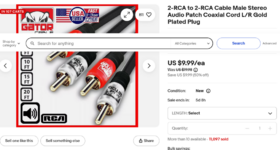
I am annoyed with myself: earlier this morning I ordered a cable on ebay, so that I could play CDs on my DVD player and use the external inputs on the boombox that you advised me about. Unfortunately, I ordered the wrong cable: I should have ordered the 2-RCA to 2-RCA type (image attached) and I had incorrectly ordered just a single RCA type. I have asked the vendor, Gator Cable, to cancel my order. I hope they do.
If they cancel the order I shall order the correct one.
Thanks again for your help: I truly appreciate it. It's been a voyage of discovery for me.
.That is great information concerning the types of tape. I think I did the right thing then in ordering some Maxell Type I tapes.
I am annoyed with myself: earlier this morning I ordered a cable on ebay, so that I could play CDs on my DVD player and use the external inputs on the boombox that you advised me about. Unfortunately, I ordered the wrong cable: I should have ordered the 2-RCA to 2-RCA type (image attached) and I had incorrectly ordered just a single RCA type. I have asked the vendor, Gator Cable, to cancel my order. I hope they do.
If they cancel the order I shall order the correct one.
Thanks again for your help: I truly appreciate it. It's been a voyage of discovery for me.
Attachments
Update!
What a happy revelation this has been. Two wins!
What a happy revelation this has been. Two wins!
- Yesterday I connected my boombox to my DVD player using my new Gator Cable RCA cables. I have been playing DVDs that contained many mp3 audio files so can now enjoy hours of uninterrupted audio pleasure. What's more I can control the play using the DVD's remote controller.
- Yesterday, too, I received through the mail the Maxell Type I tapes that I had ordered. They and the tape player of the boombox together make excellent recordings! The only remaining check that I need to make is whether the erase function works.